

We have completely redesigned our customer portal for you. If the steps described in the guide differ from what you see, you will find a PDF version of the old guide at the end of this article.
The subsidiary management: Manage subsidiary accounts via a main account
This means that employees who need access to all accounts do not need to remember multiple accounts. At the same time, local teams retain their individual access, e.g. to manage their call forwarding.
In this article you will learn how to add the first subsidiary account to your main account.
In addition, the secondary accounts are billed via the main account in a convenient consolidated invoice.
1. Call up the customer portal of the main account
First think about what your main account should be, to which you want to assign secondary accounts. Then log into my.easybell of your future main account.
Attention! Only secondary accounts can be assigned to a main account.
2. Open subsidiary management
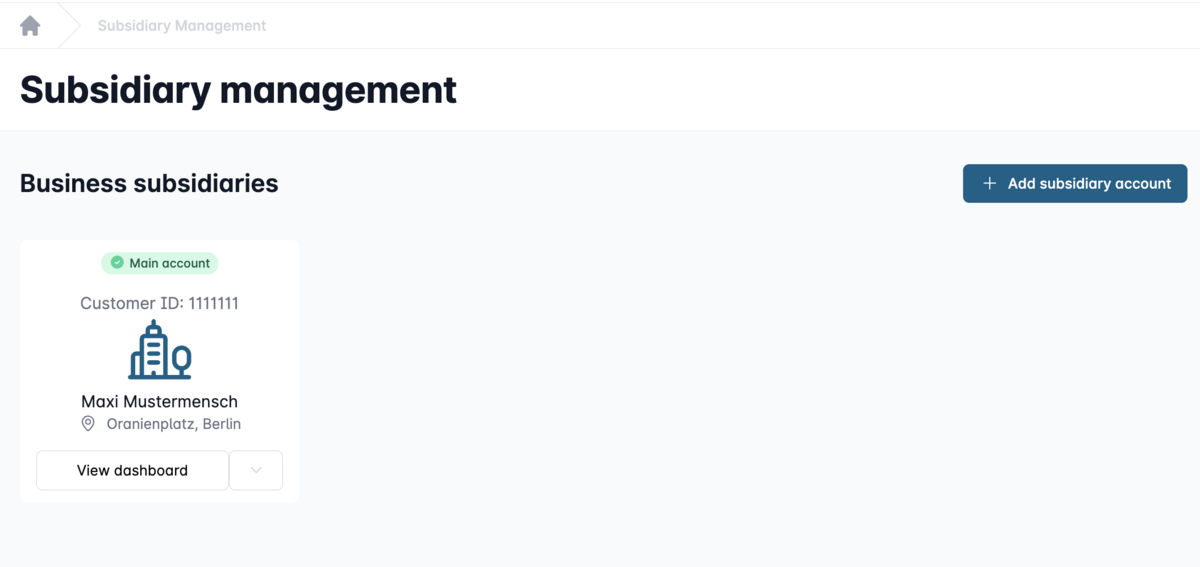
Please select the “Locations” menu in the page navigation.
Then, in the location management section, click on “Add secondary account” in the upper-right corner.
3. Add subsidiary account
You can either add an existing account to your main account or create a new one.
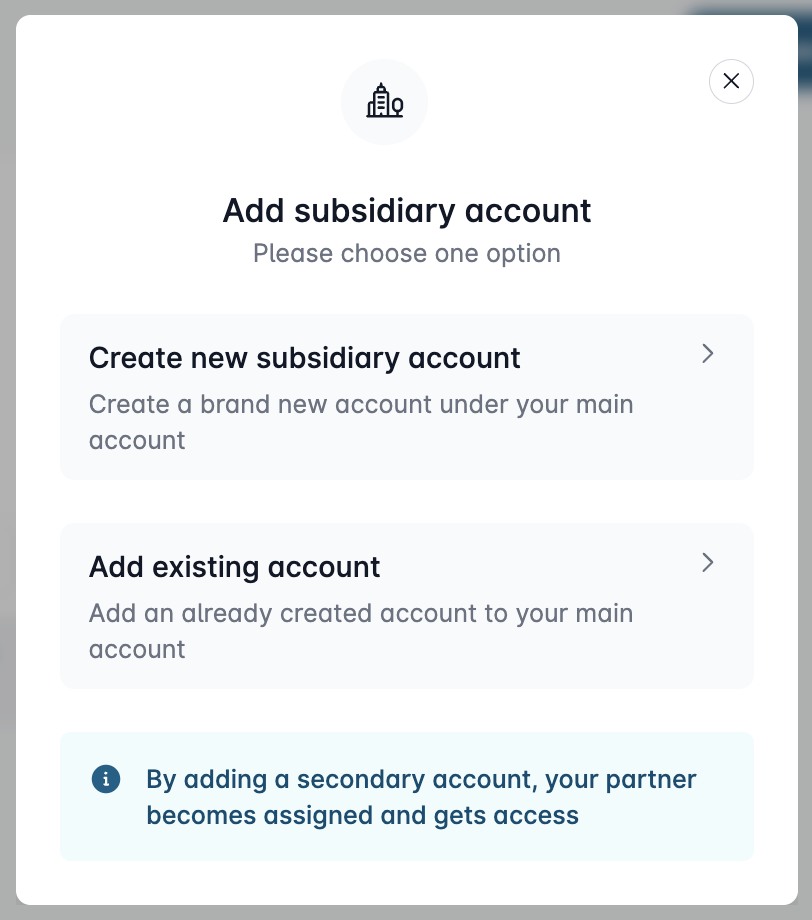
Create new subsidiary account
To order a new account and link it directly, please click on "Create new subsidiary account". You will then be taken to the order process. Customise the product to your requirements and complete the order as normal. You will be automatically forwarded to the account administration. The new subsidiary account is already listed here.
You will automatically receive further information by email after placing your order.
Add existing account
To add an existing account as a subsidiary account, please click on "Add existing account" and follow the instructions on the screen.
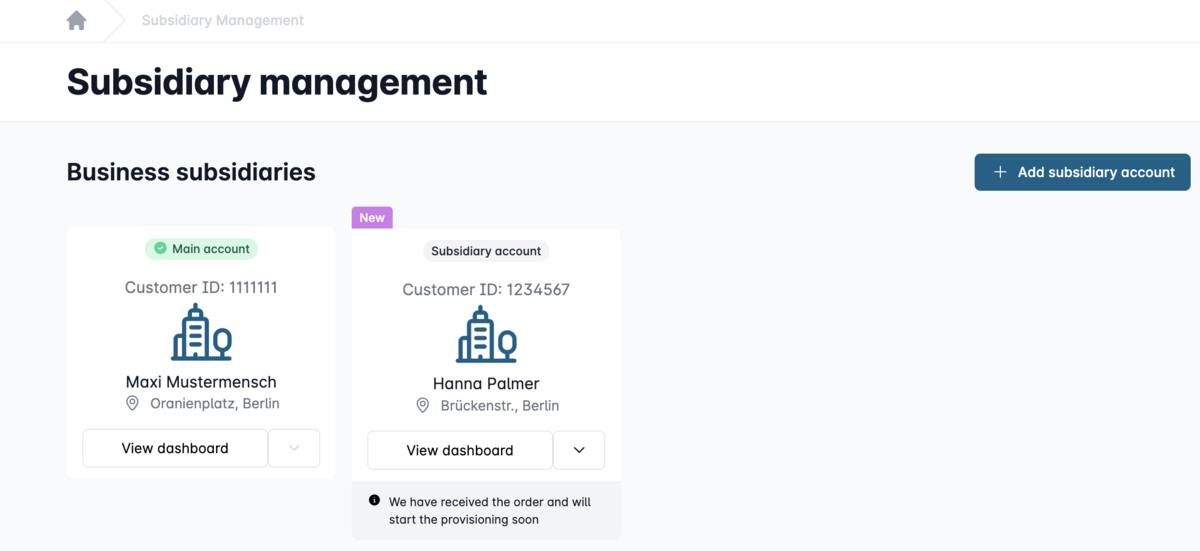
4. Manage accounts
As soon as a subsidiary account is assigned to your main account, you have access to the "Subsidiary management" menu in your customer portal. Here you will see an overview of the linked accounts and have access to all secondary accounts.
You can also see and manage those accounts for which you have set up a collective invoice.
If you want to detach a subsidiary account from a main account, you can also do this here.
Settlement of secondary accounts
Sub-accounts are billed via their main account. A consolidated invoice is then generated for the main account and all associated sub-accounts.